0%
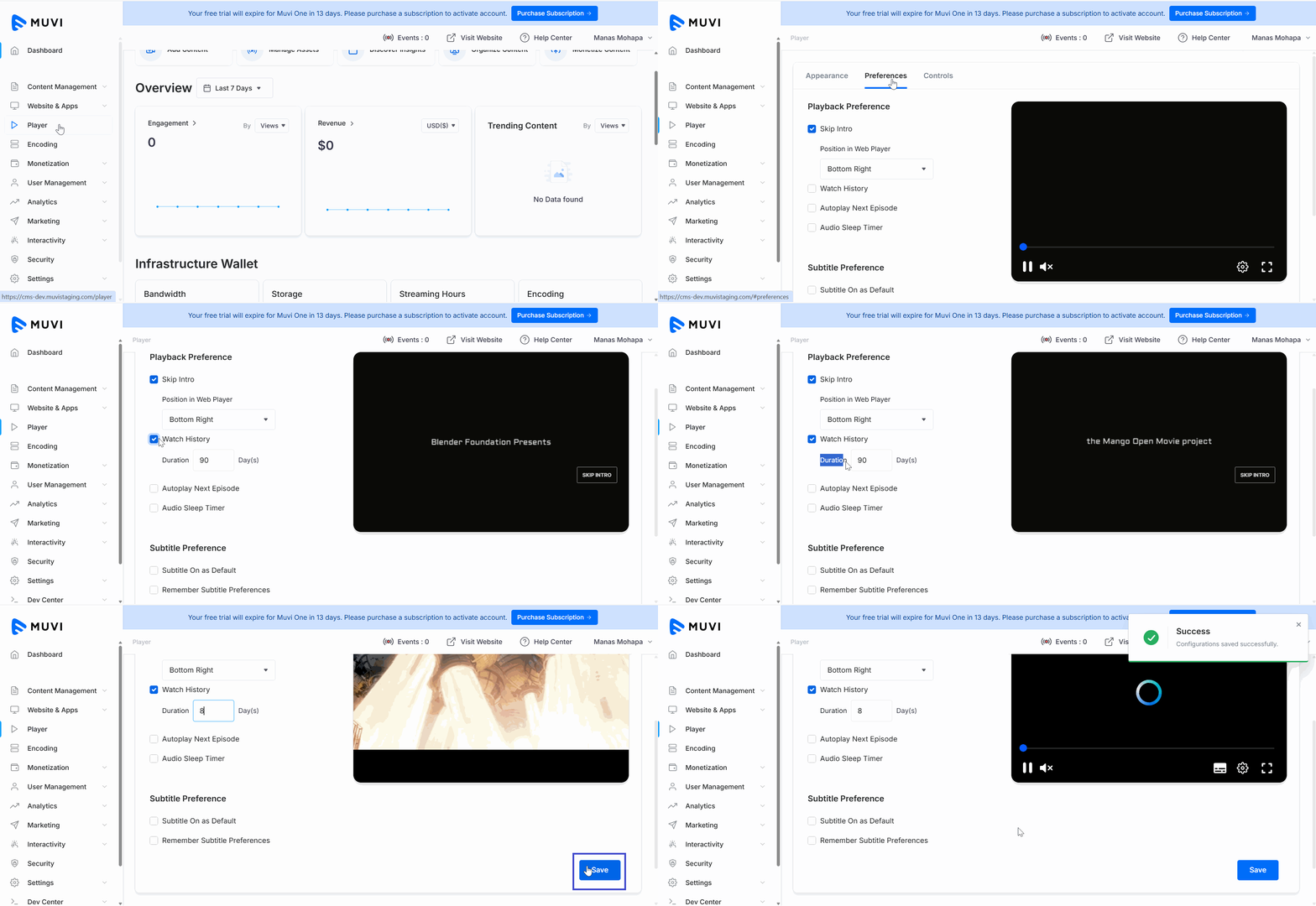
The "Watch History" feature allows your end-users to view the list of content (video/audio) that they have already watched/listened to in the past. You can enable this feature from the CMS and configure for how many days (i.e., 1 day, 2 days, 7 days, etc.) the content watch history will be stored in their account. When the end-users log in to your store they can view their watch history under their profile. The watch history is automatically deleted after the number of days the admin has set in the CMS. The end-user can also clear the watch history manually.
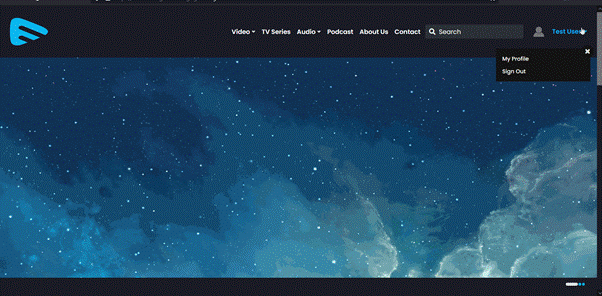
To view the "Watch History", the end-users first need to log in to your website/mobile app and then click on “Watch History” under “Profile”. They can view the list of content they have watched in the past.
Let us know so that we can improve.
8:00AM PST
Discover the biggest streaming trends shaping 2026 — from FAST and hybrid monetization to the explosive rise of microdrama, microlearning, AI-powered experiences, and next-gen streaming technologies in our…...
Event Language: EnglishReach out to Muvi at: