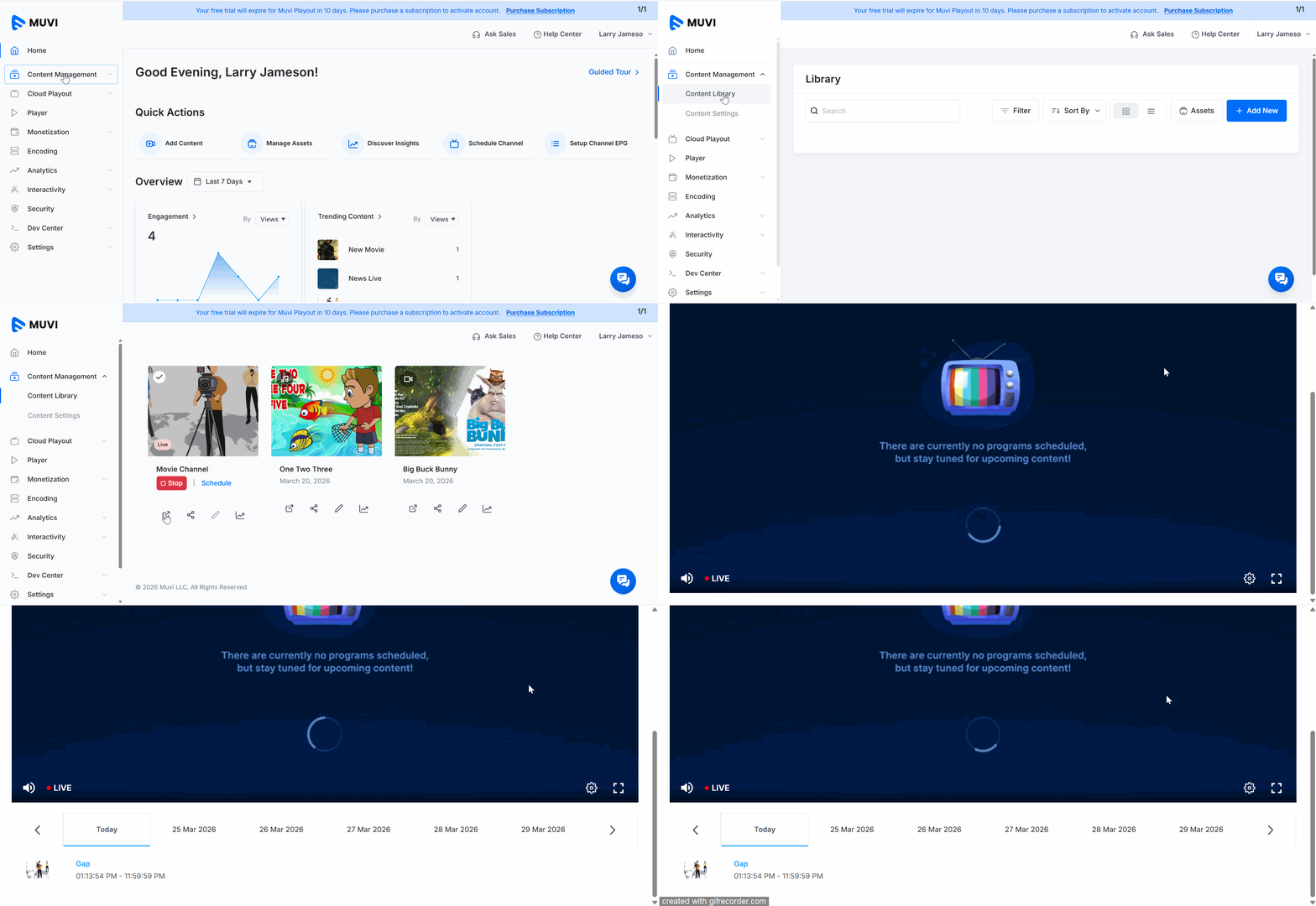
How to Preview Your Playout Channel Product: Playout Introduction Once your channel is created, you can preview it from the Dashboard to check how it works. Before that, you must start the channel. Previewing the Channel To preview the channel, navigate to the “Content Management” -->” Content Library” in the Dashboard. In the Content Library, you can see your active channel. Under the channel, click on the “Preview Icon”. You can preview the channel in a separate browser tab.