0%
Filtering End-Users By Active Plans
Assign Multiple Plans (Subscription, PPV) to the End-Users
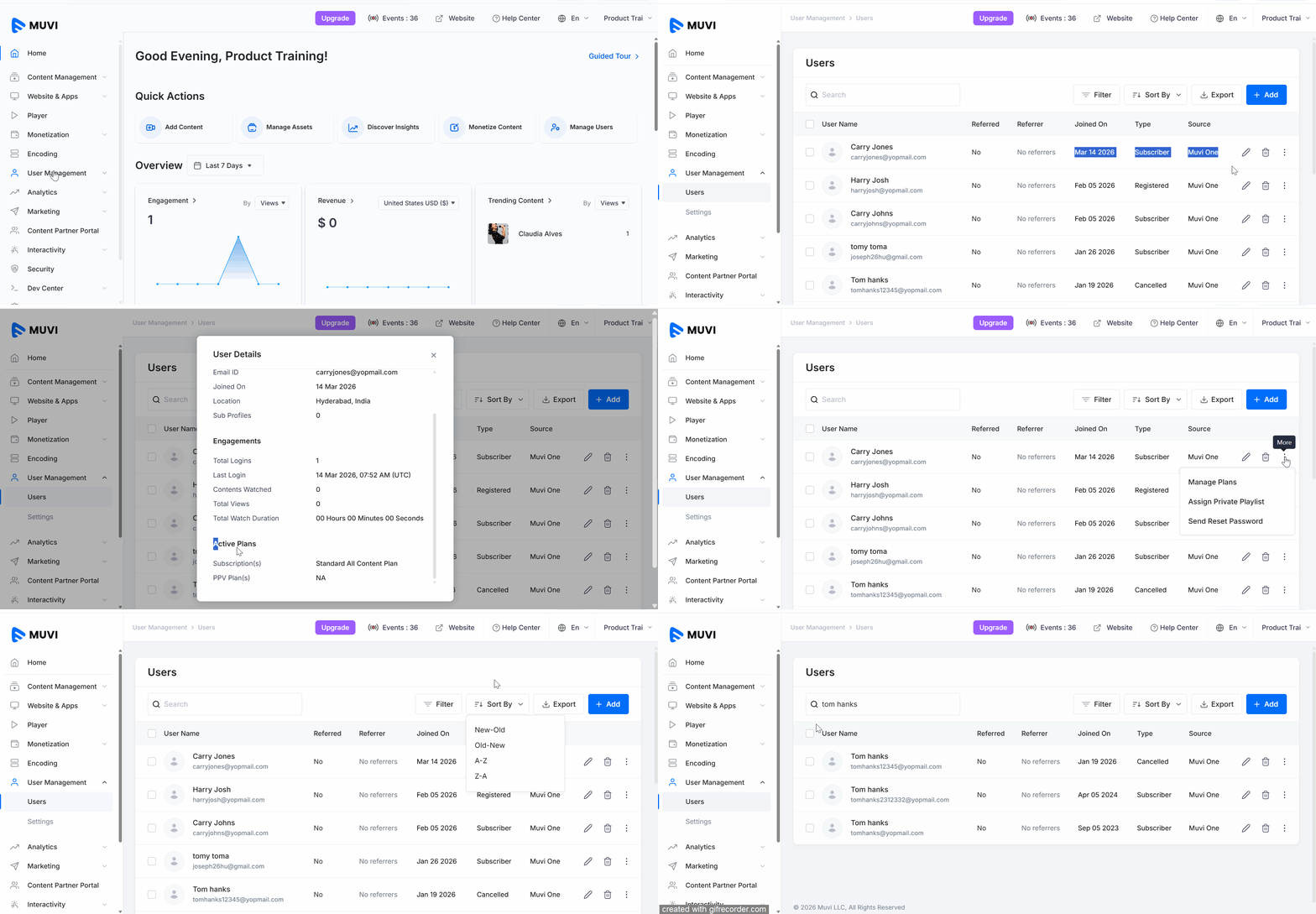
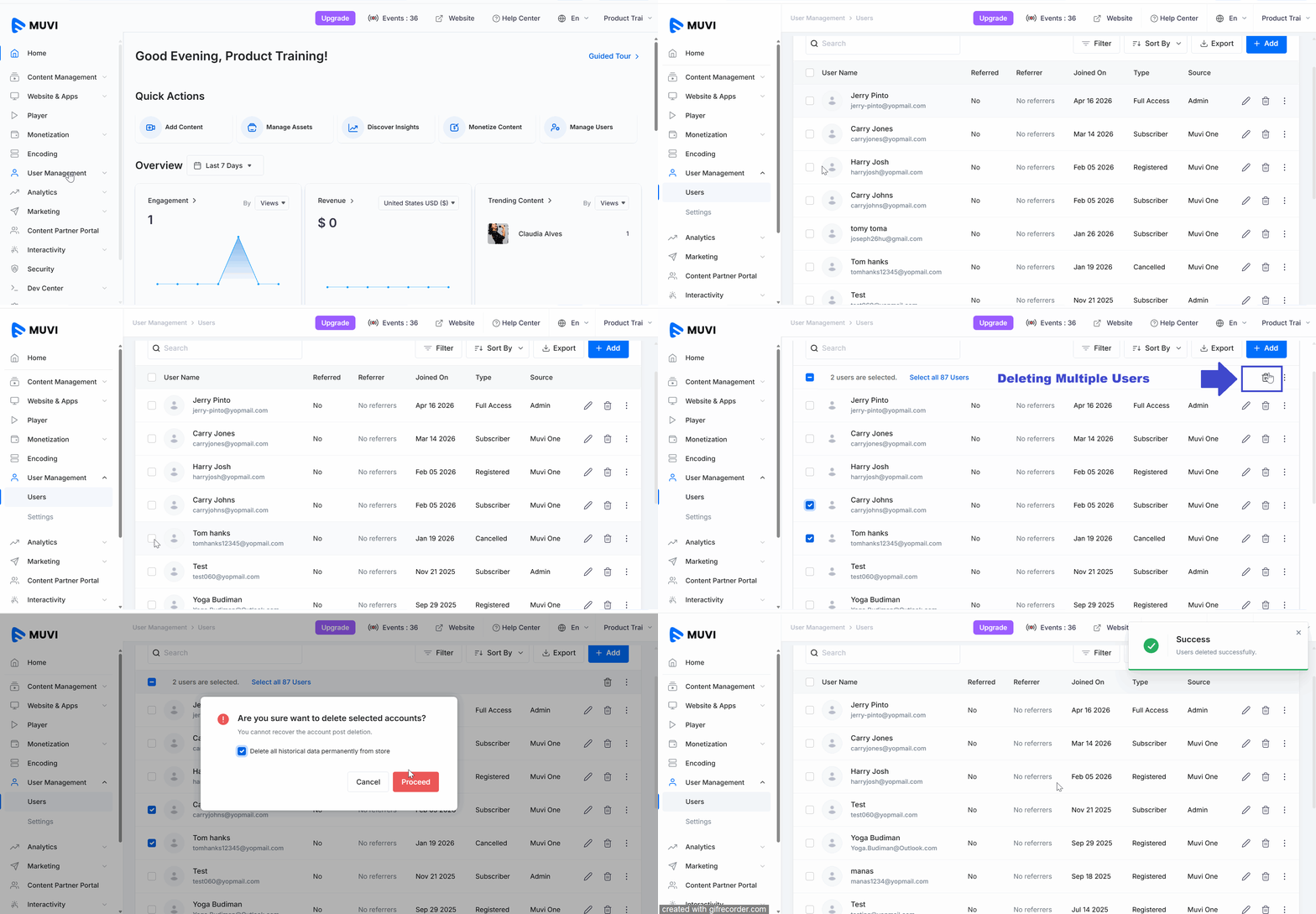
The user management feature allows the store admin to view the status of the end-users according to their types including the registered users, subscribers, PPV subscribers, and free users. Admin can add free users and manage end-users such as sending them reset password emails, updating email addresses of users, and adding phone numbers of users. Admin can also delete a specific end-user(s) from the CMS.
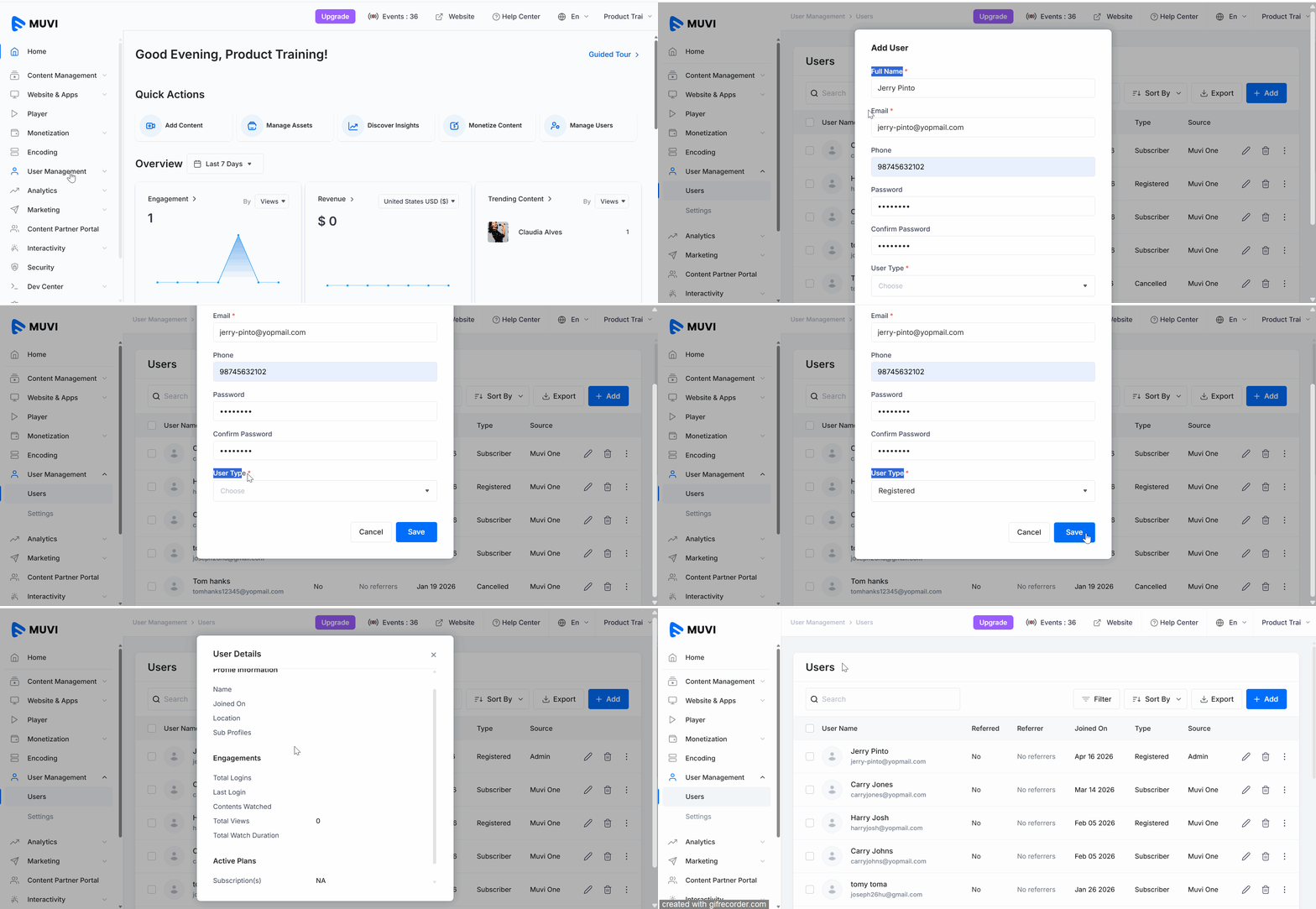
You can also add an end-user from the CMS. You can add a Free Registered User (A user without a subscription, who might have limited or no access to the content in the store), or a Free User who will have unlimited access to all subscription and PPV content.
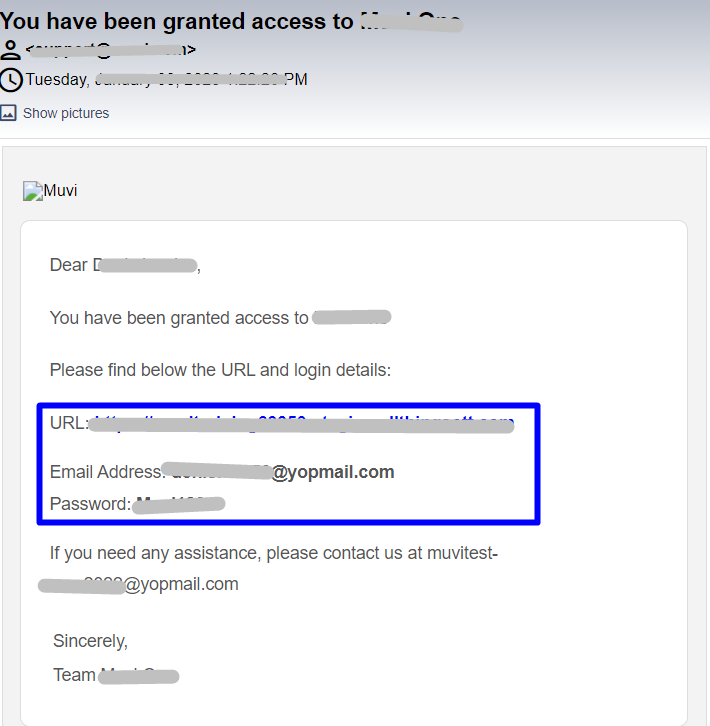
| Note: While creating new end-users, adding a "Password" for the end user is optional. The password will be created automatically by Muvi and will be sent to the end user. |
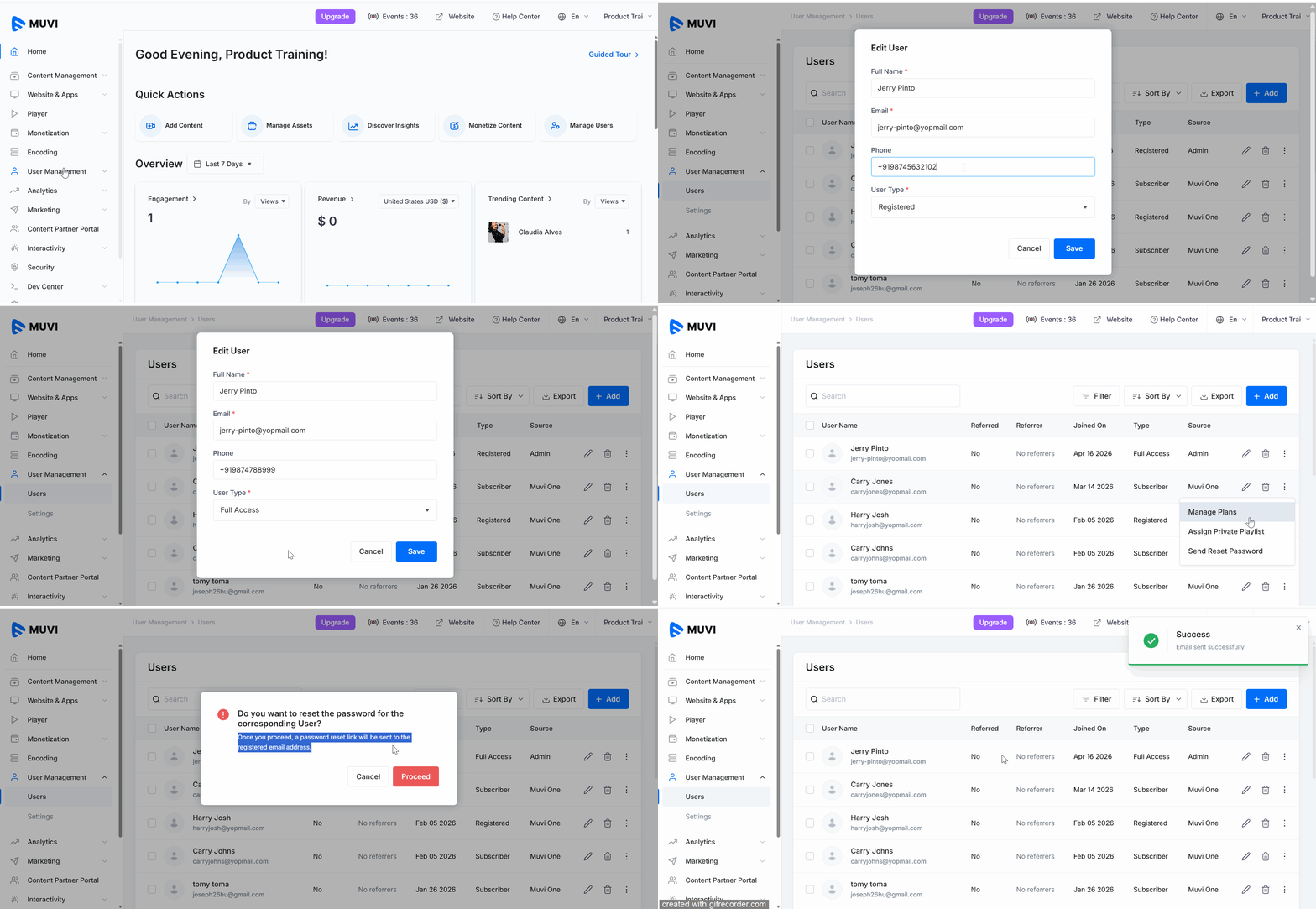
You can edit the end-user details (i.e., Name, Phone Number, User Type) and you can send them email notification to reset their password.
You can filter end-users based on their active subscription and/or PPV plans by following these steps:
You can delete an existing end-user from the CMS. You delete a Free User or a Free Registered User.
As an admin, you can assign multiple subscriptions and PPV plans to the end-users. Click here to know how to assign multiple "Subscription Plans" and "PPV Plans" to the end-users.
Let us know so that we can improve.

8:00AM PST
Looking to launch your streaming service from scratch, or simply looking to extend your existing streaming service to Smart TVs? This webinar is for you! Learn how to…...
Event Language: EnglishReach out to Muvi at: