Introduction
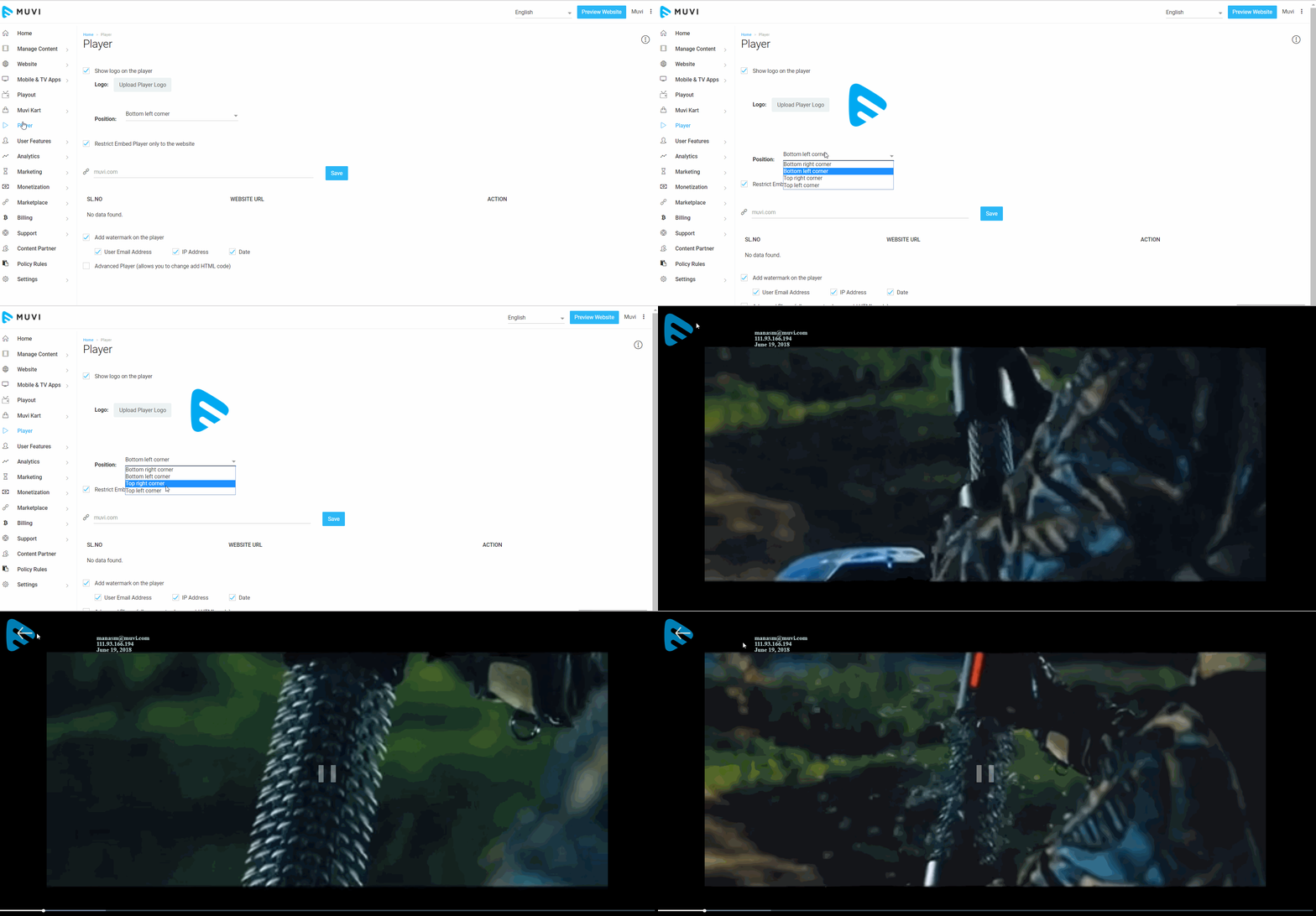
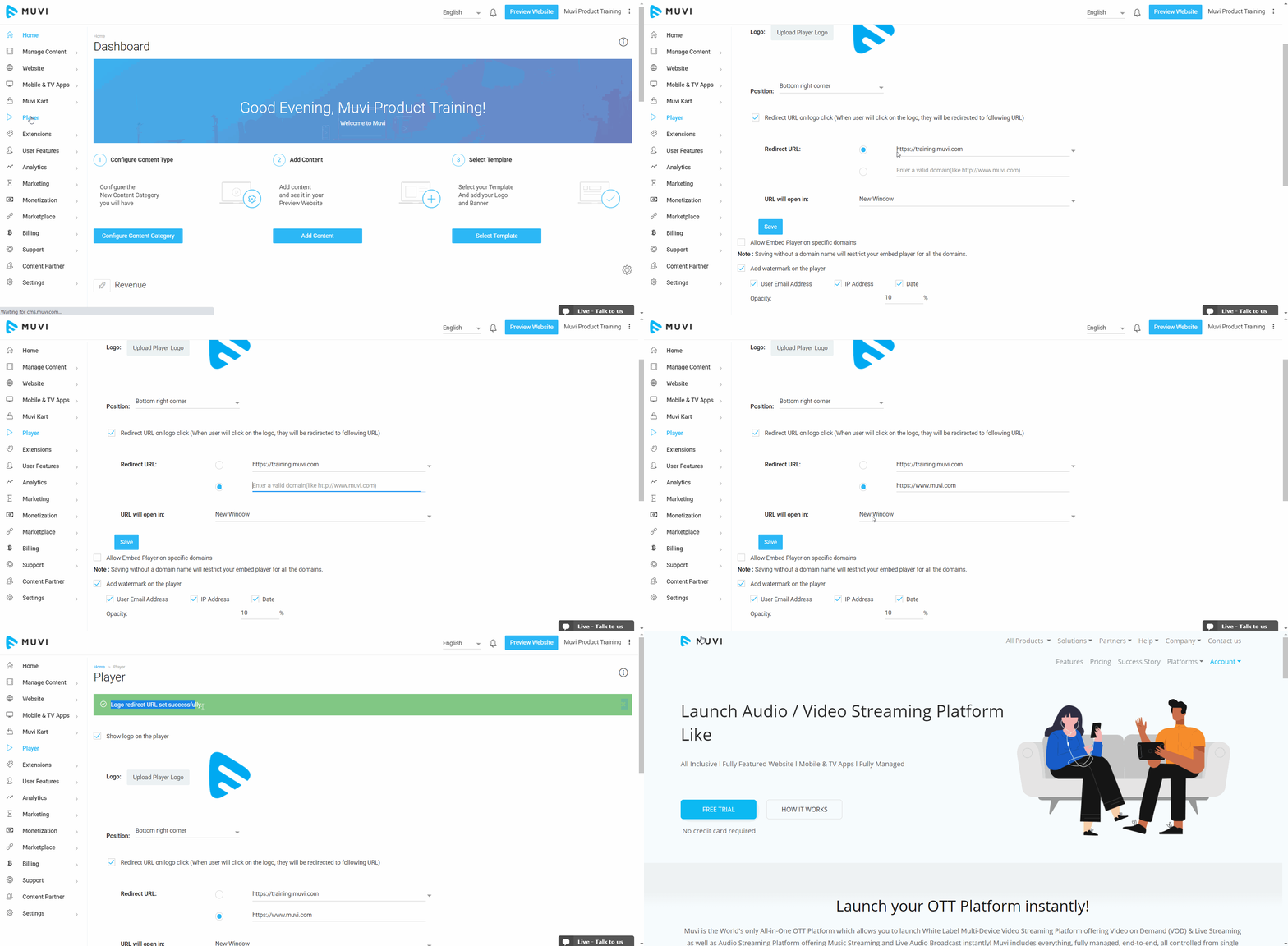
You can add “Logo” to your video player. Your subscribers/viewers can see the logo on the video player when they watch any video content on your online video platform. You can change the position of the logo as per your desire and also add a redirect URL to the logo. If you want to see how the logo appears on the player, then you can test it in our demo player without taking a free trial.
How to Add Player Logo
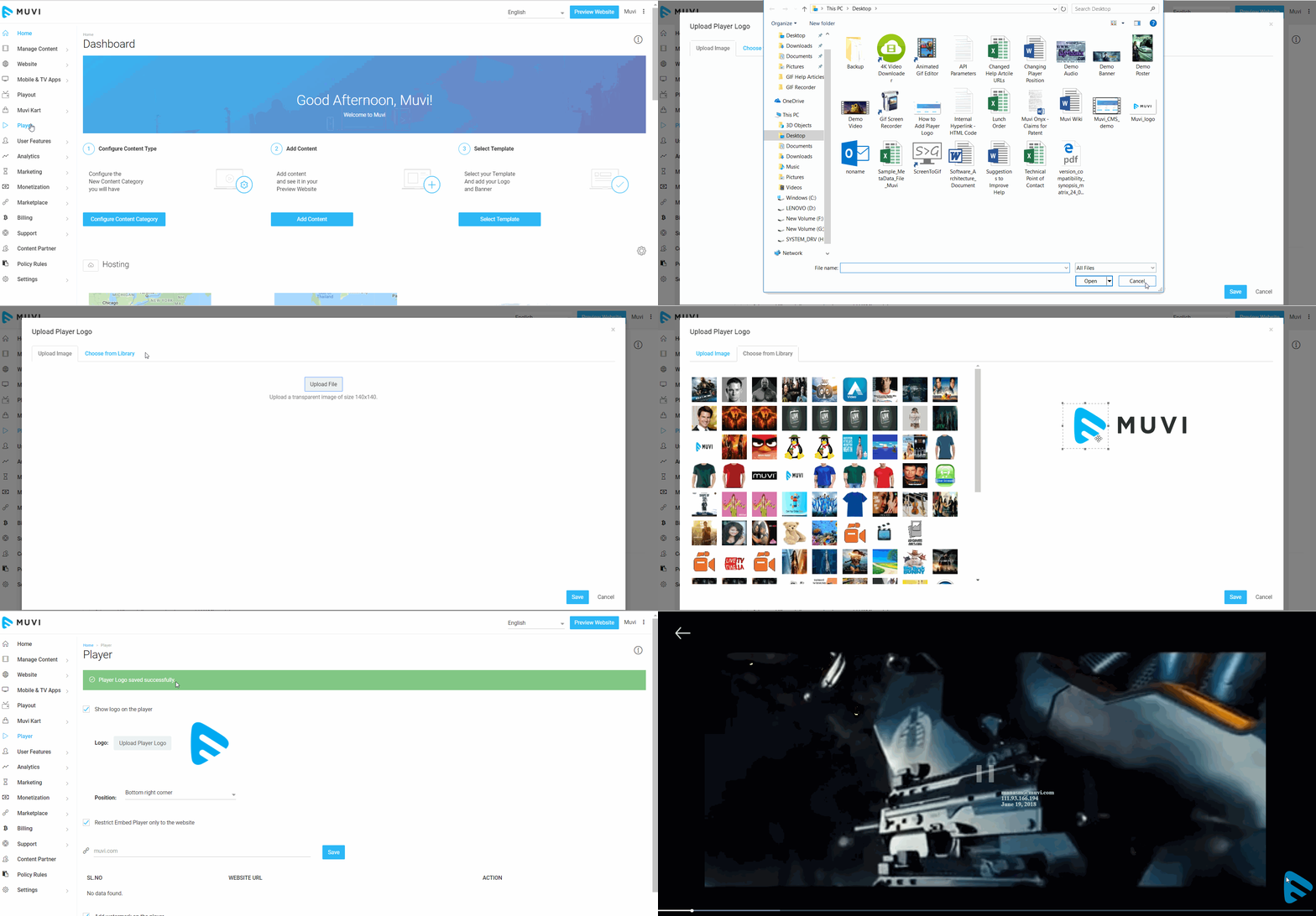
- Click on “Player” in your CMS. Then, on the player page, select the checkbox "Show logo on the player"
- Click on "Upload Player Logo".
- To upload the image from your computer, click on "Upload File"
- Or you can select the image from the Image Library.
- After selecting the image, resize it. Then, click on "Save"
- Play a video on your website. You will see the logo on the bottom right corner of the player.
Note: The player logo doesn't appear on the third-party players. So, if you have embedded any third-party video (e.g. YouTube, Daily Motion, etc.) to any content, the logo will not appear on the player when end-users play the content. It will only display the third-party logo (e.g. YouTube, Daily Motion, etc.).