0%
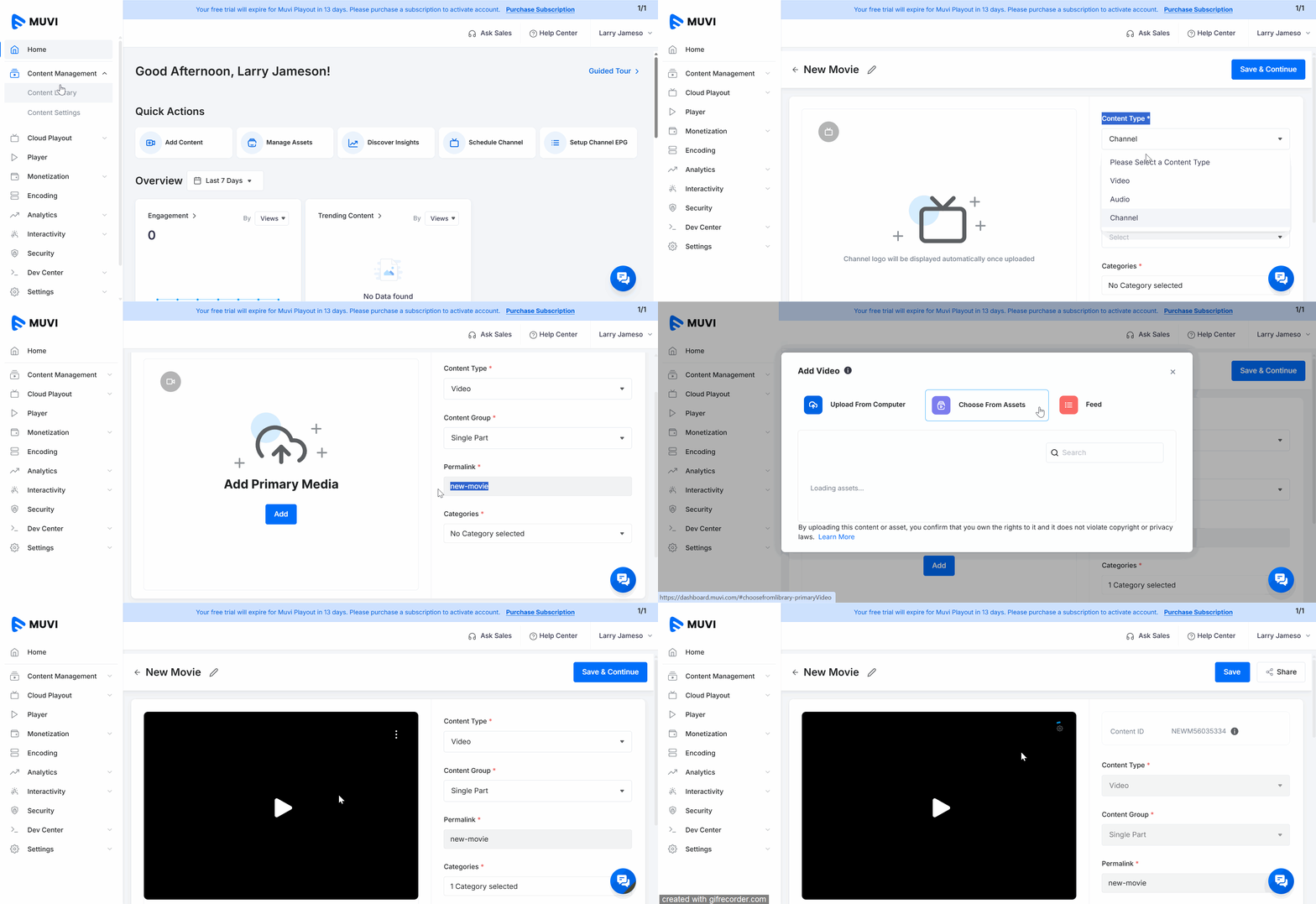
You can add video content to Playout, such as Movies, Short Videos, or Documentaries, is a simple two-step process. In the first step, you can add the basic content metadata — including the content title, content type, group, categories, and sub-categories.
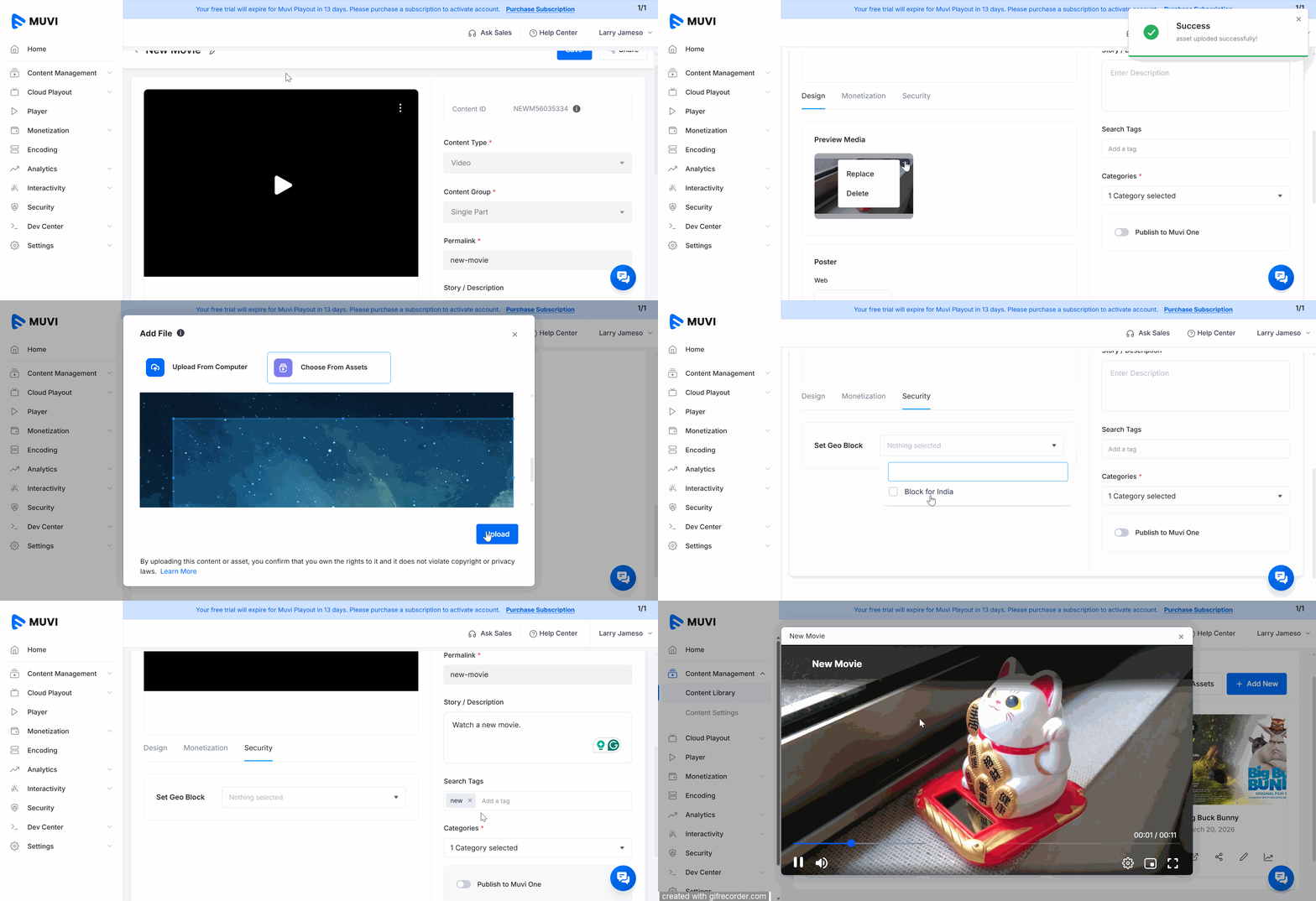
In the next step, you can enhance your content by adding a trailer, thumbnail, banner, cast and crew details, and configuring options like monetization, security, and more. This step-by-step guide will help you seamlessly add your single video content within the CMS.
Step 1: Adding Basic Content Information
Step 2: Adding Media Assets and Advanced Features
Let us know so that we can improve.
12:00AM PST
Emerging markets are driving the next wave of OTT growth—but succeeding in these regions requires unlocking various challenges. From fragmented payment ecosystems and diverse languages to inconsistent network…...
Event Language: EnglishReach out to Muvi at: