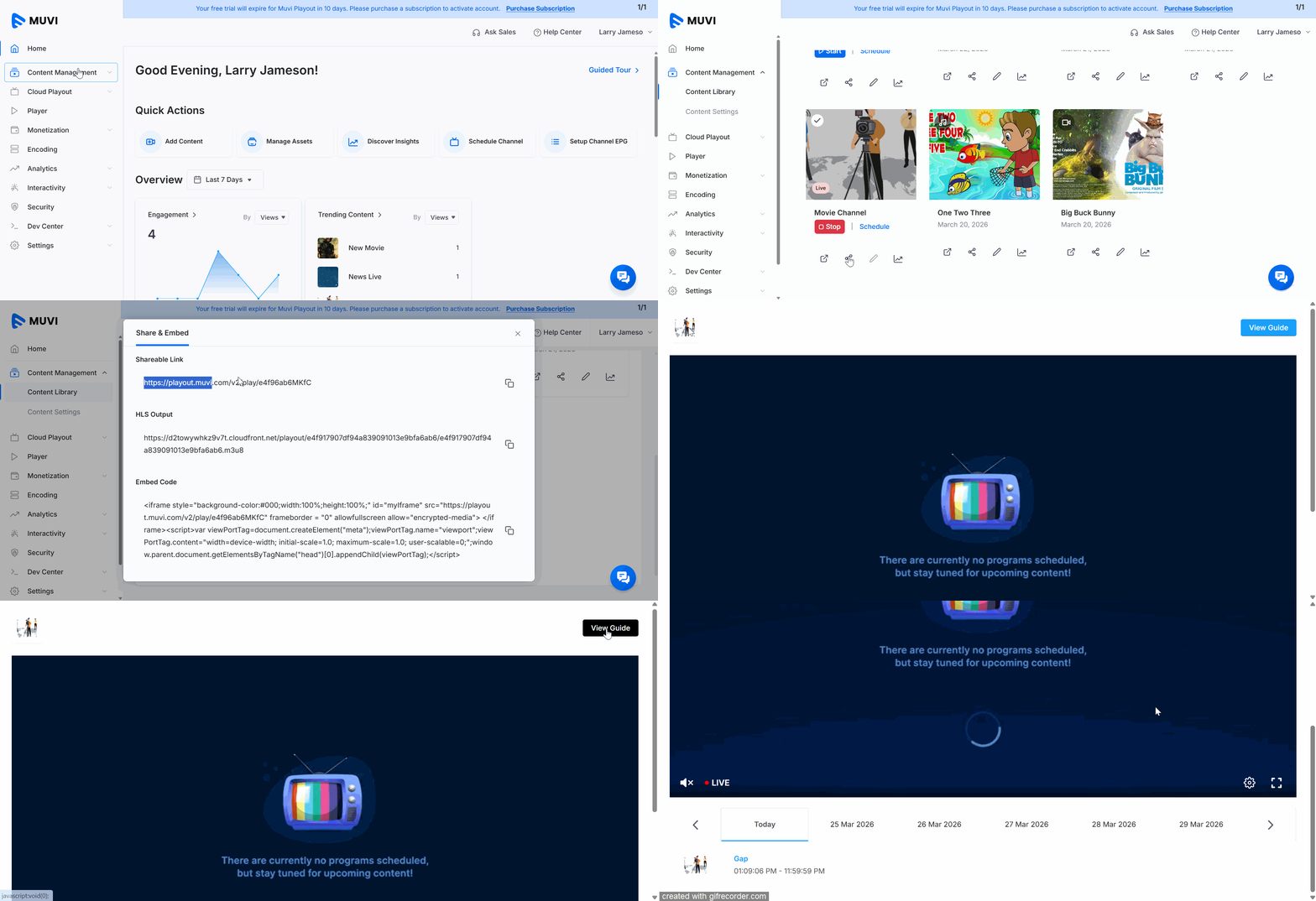
How to Share Your Playout Channel via Sharable Link Product: Playout To share your Playout channel via a shareable link, navigate to “Content Management” -->” Content Library” in the Dashboard. In the Content Library, you can see all your channels. Under a channel (that you want to share), click on the “Share Icon”. You can see multiple options to share your channel. Under “Shareable Link,” you can see the link to share your channel. Click the “Copy Icon” to copy the link, then share it with your end-users. The end-users can open the link in their web browser and view your channel.