0%
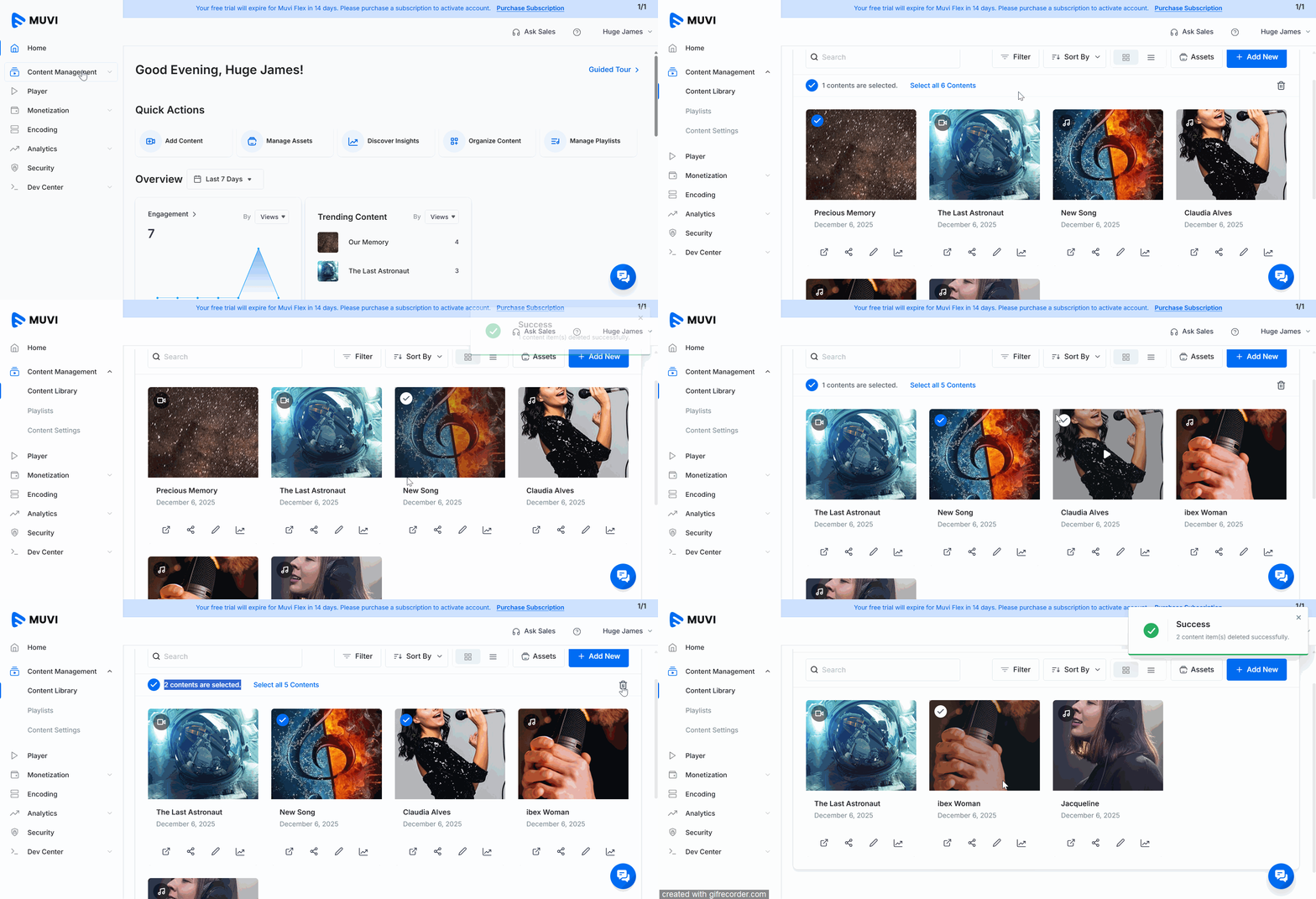
You can delete Video and/or audio content that is no longer required or relevant. You can either select and delete a single Video and/or Audio content or select multiple Video and/or Audio contents and delete them in bulk from the Content Library.
Once deleted, the Video/Audio content will be permanently removed from your Content Library and will no longer be available for users to stream
.
| Note: When the Video/Audio content is deleted, the assets (Video files, Audio files, poster, banner images) will not be deleted. You can find them in the Asset Library. |
Let us know so that we can improve.
8:00AM PST
Looking to launch your streaming service from scratch, or simply looking to extend your existing streaming service to Smart TVs? This webinar is for you! Learn how to…...
Event Language: EnglishReach out to Muvi at: