Introduction
Benefits of Custom Registration Fields
Enabling Customize Registration Form Option
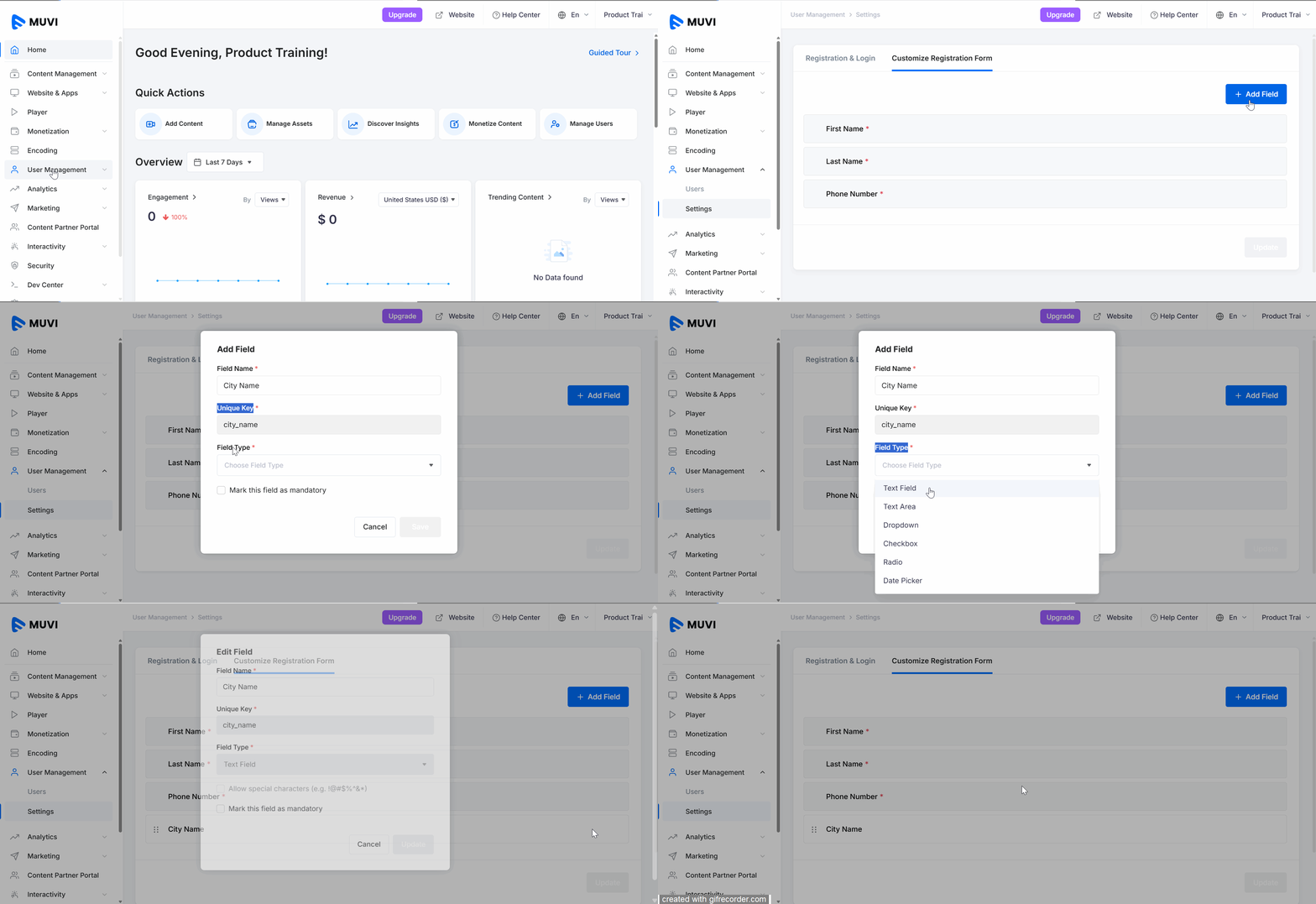
Adding a New Field to the Registration Form
How the Custom Field Appears on the Front-End
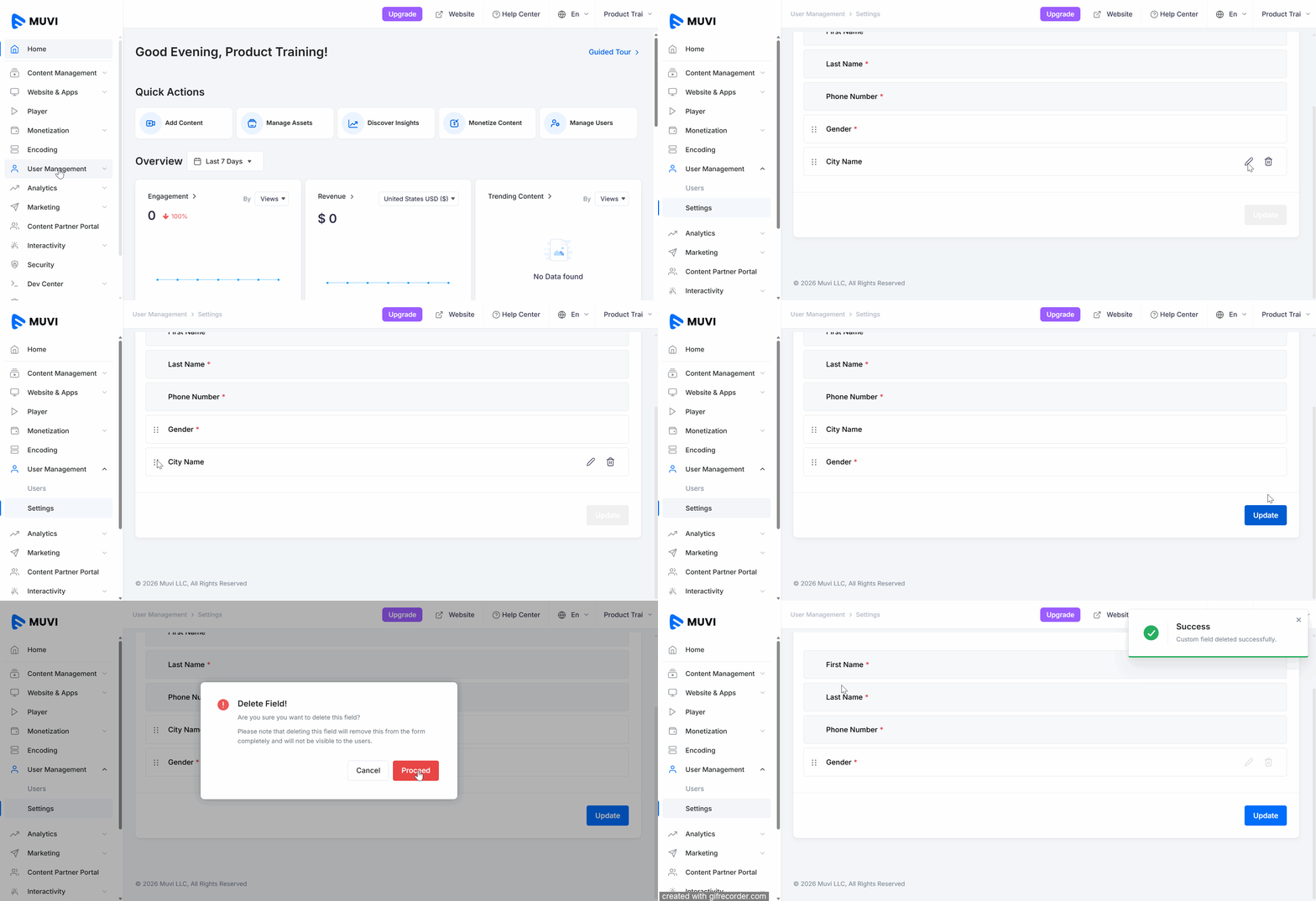
Managing the Custom Fields
Introduction
With the Registration Form Customization feature, you can add, remove, and rearrange custom fields in the user registration form. By default, the form includes fields such as Name, Email Address, Password, and Confirm Password. You can create additional fields like Date of Birth, Mailing Address, Phone Number, or any other field based on your business requirements to collect more relevant user information.
Benefits of Custom Registration Fields
Allowing custom fields in the registration process gives you the flexibility to gather more relevant user data, enabling:
- Enhanced user segmentation
- Personalized user experiences
- Better business and marketing decisions
- Improved engagement rates
- More targeted operational strategies
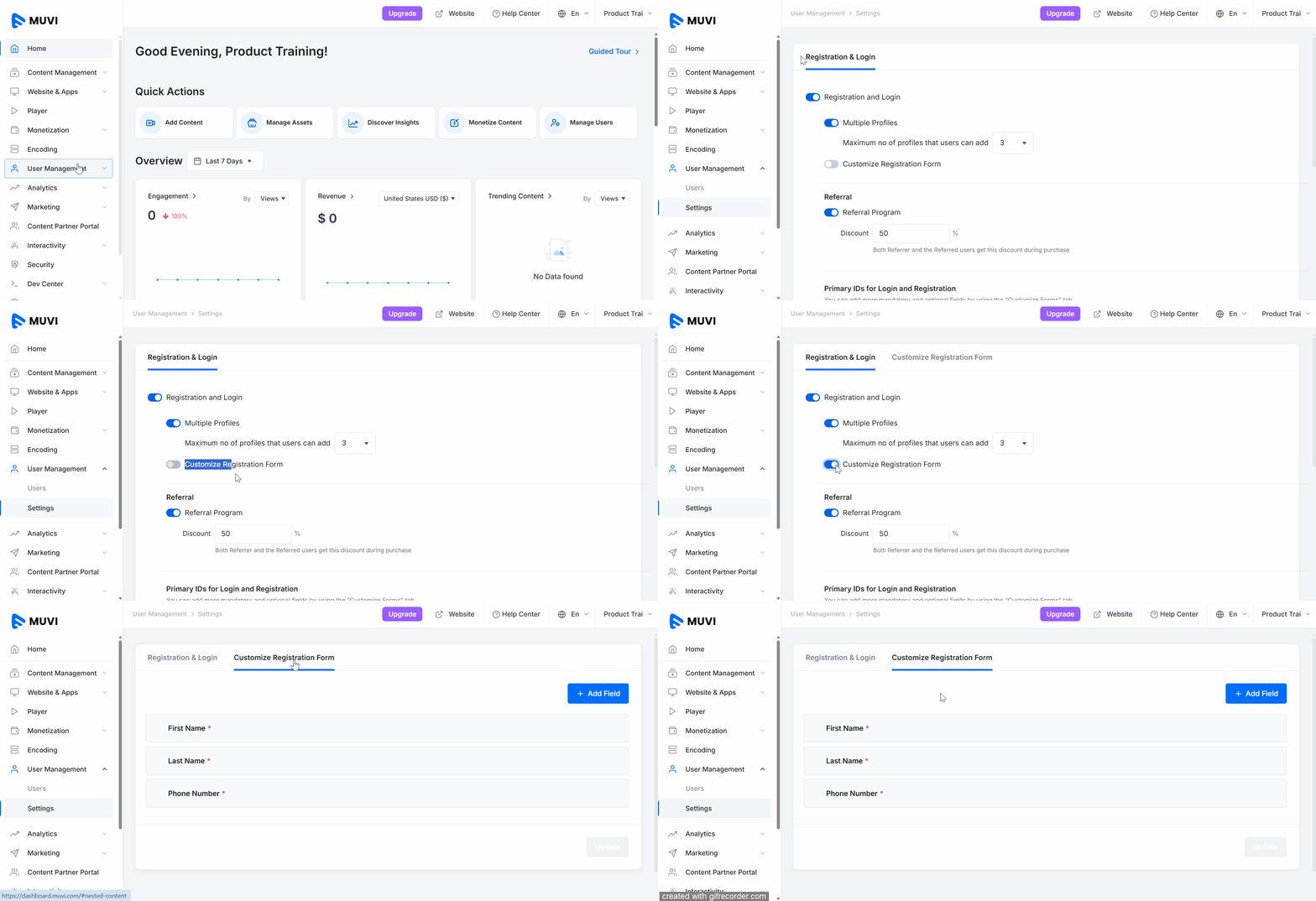
First, you need to enable this feature to customize the registration form.
- To enable this feature, navigate to “Use Management” -->” Users” in the Dashboard.
- Under “Registration & Login”, enable “Customize Registration Form”.
- Once the feature is enabled, you can see the “Customize Registration Form” tab in the Dashboard.