0%
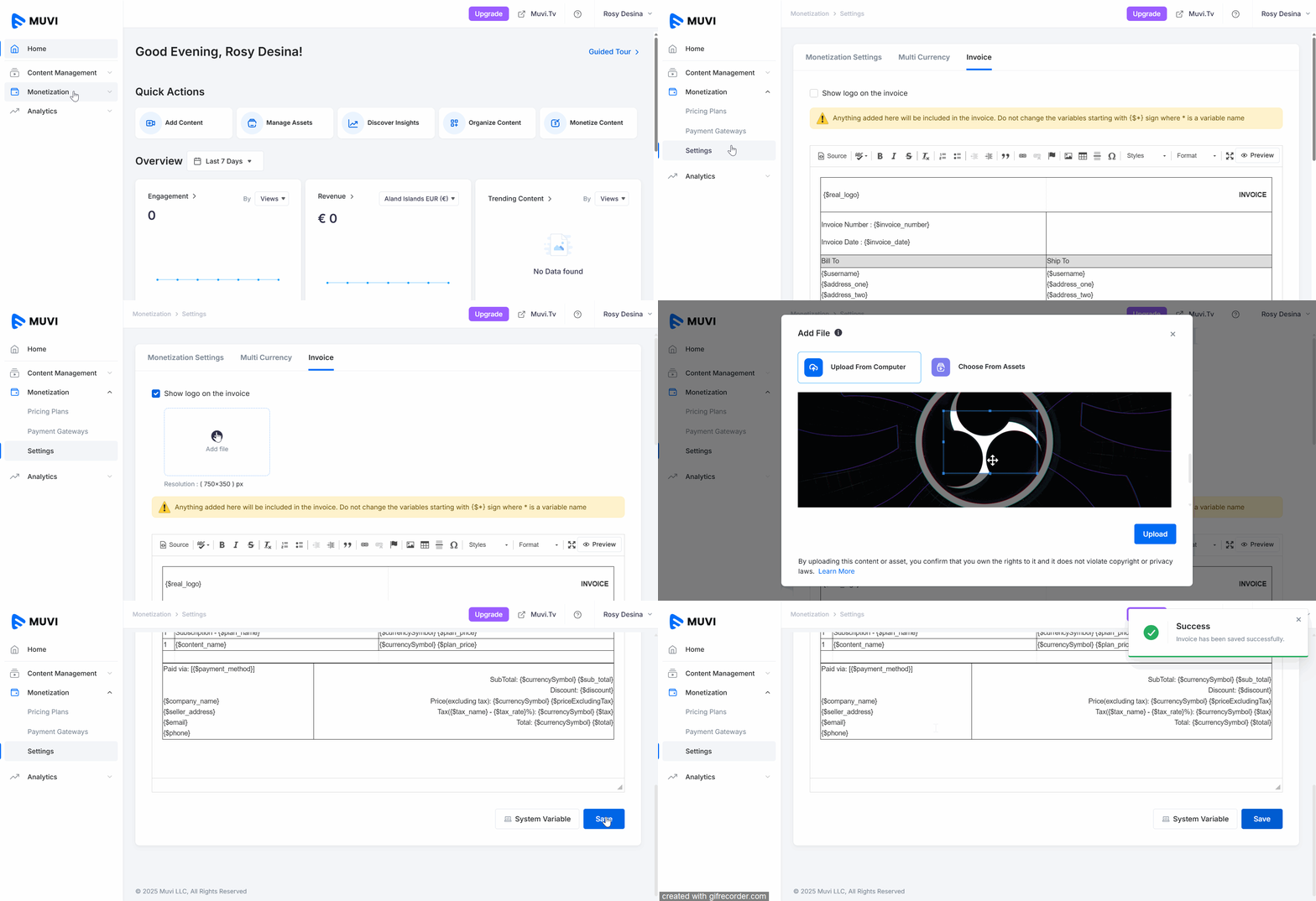
You can customize the invoice that you send to your end-users from the CMS. When the end-users purchase content, they automatically receive the invoice. The end-users can view it in the Purchase History under their profile and receive it at their registered email address. You can edit the invoice title, add a new column, format the text, and add an image. You can also add a specific logo to your invoice.
| Note: You can upload the ‘Invoice Logo’ in 300 dpi with a maximum size of 750 x 350. |
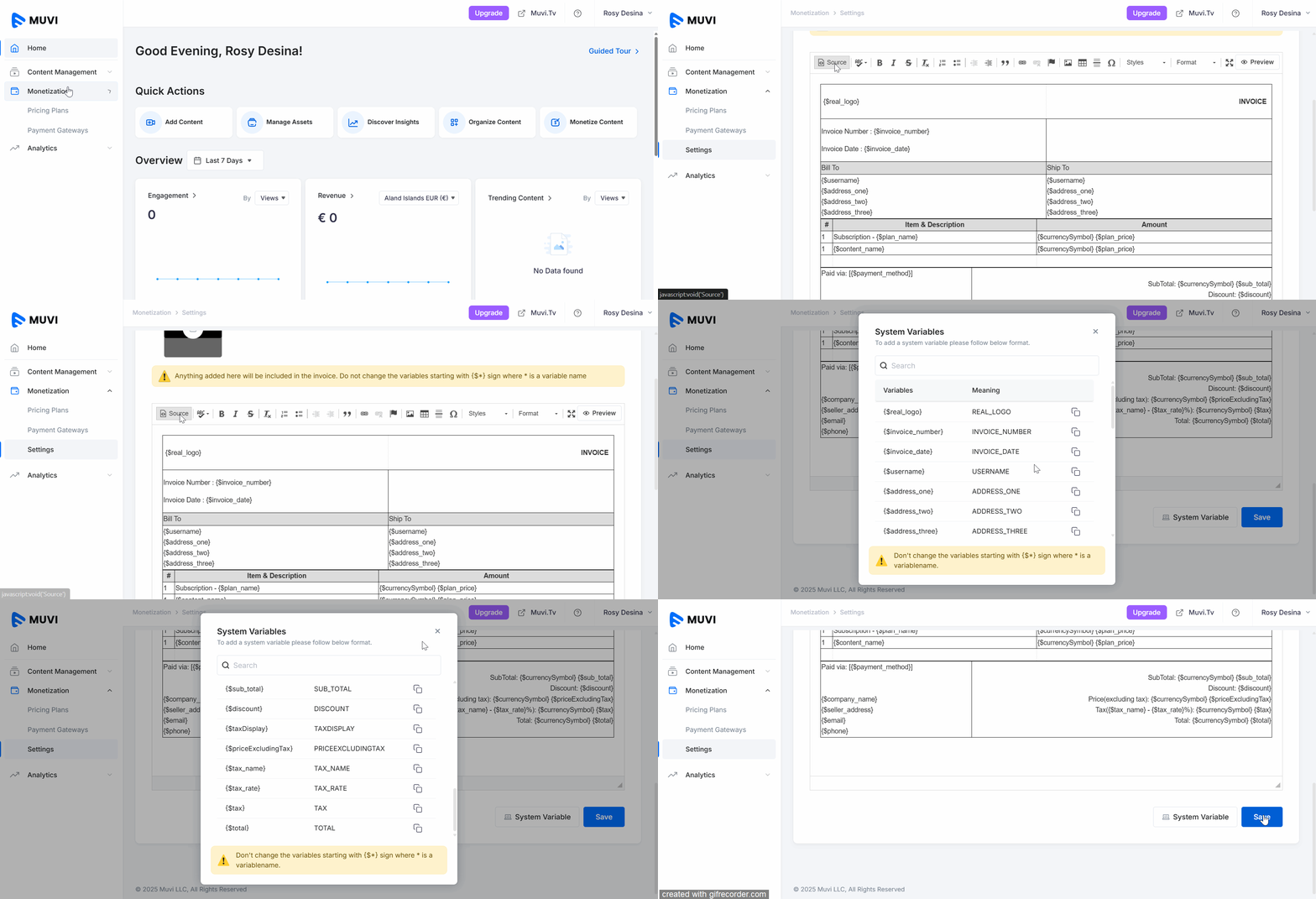
You can edit the invoice as per your requirement. By using the “Invoice Editor” in the CMS, you can change the font, add a new column, add an image, etc.
| Note: Please do not edit the variable names starting with the $ sign, Ex, $c_name. Click on "System Variables" to know the list of variables that you shouldn’t change. |
Let us know so that we can improve.
8:00AM PST
Looking to launch your streaming service from scratch, or simply looking to extend your existing streaming service to Smart TVs? This webinar is for you! Learn how to…...
Event Language: EnglishReach out to Muvi at: