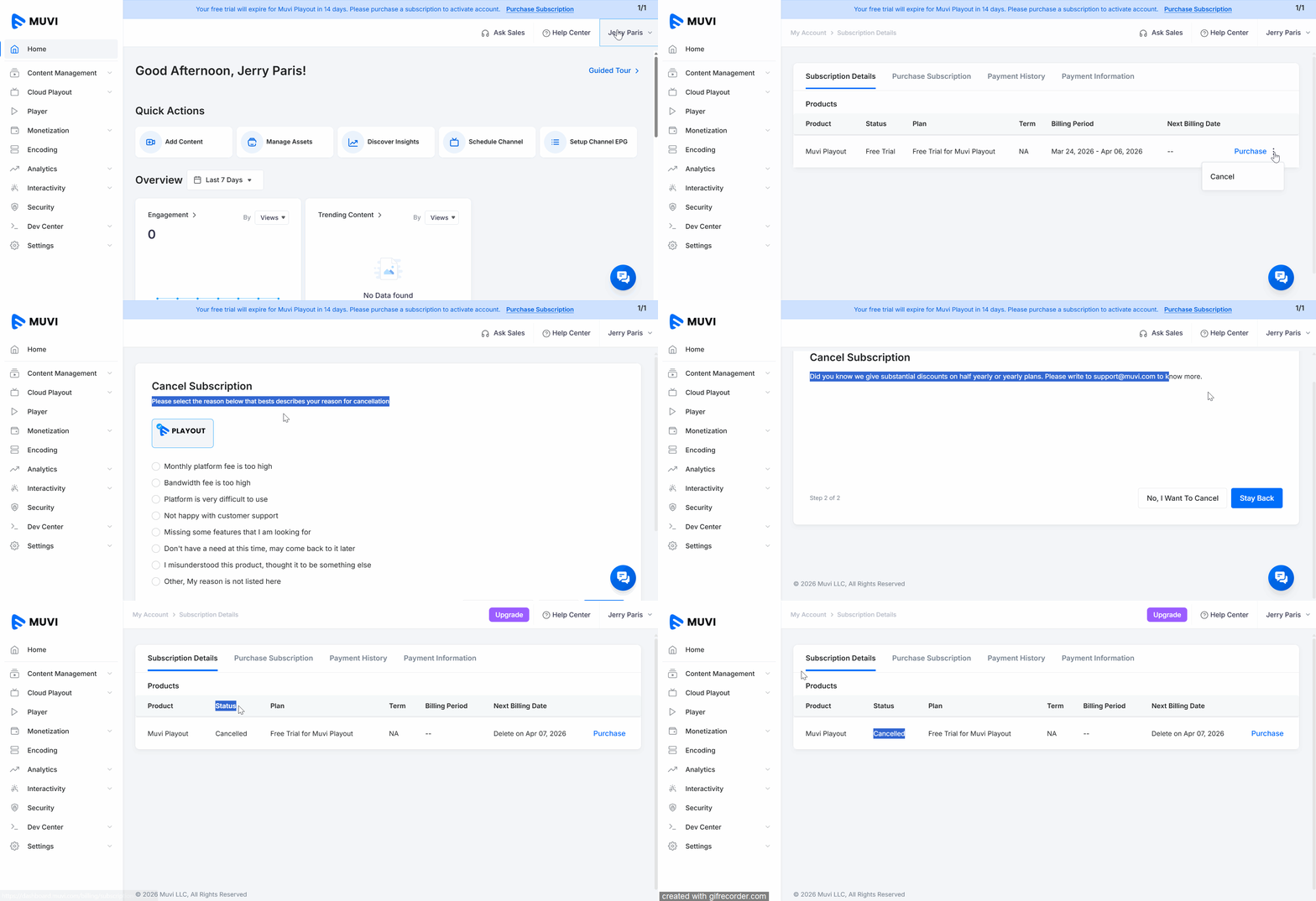
How to Cancel Muvi Playout Subscription Product: Playout To cancel your Playout subscription, navigate to “Profile”-->” My Subscription”. Click on the “Subscription Details” tab. You can view your current subscription On the right-hand side of the subscription plan, click on the “3 Dots”. Click on “Cancel”. Select the subscription cancellation reasons from the list. Click on “Next”. Click on “No, I want to cancel”. Your account will be cancelled. You can see the “Status” under “Subscription Details” as “Cancelled”.