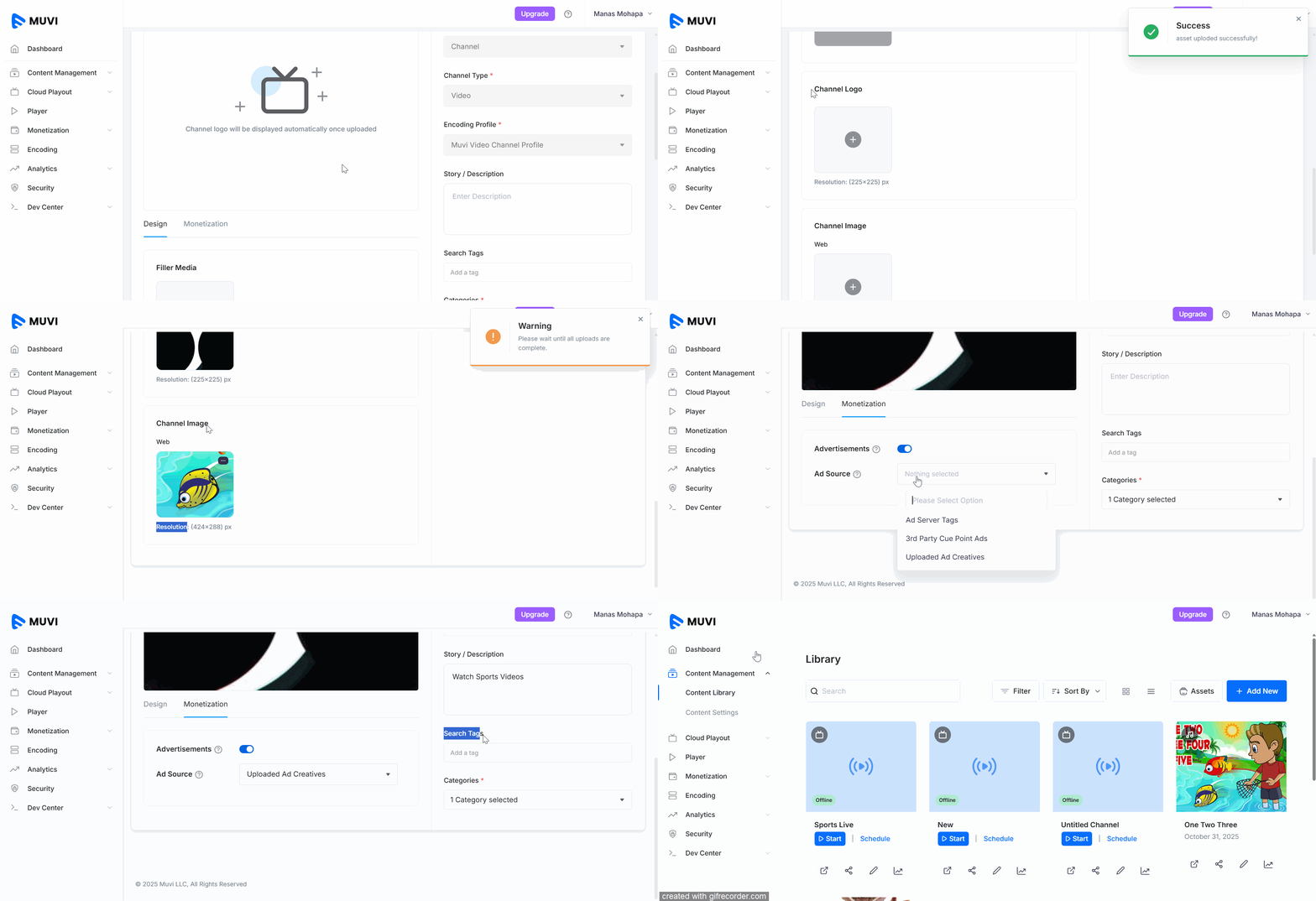
How to Add a Video Channel
How to Add a Video Channel
Product: Playout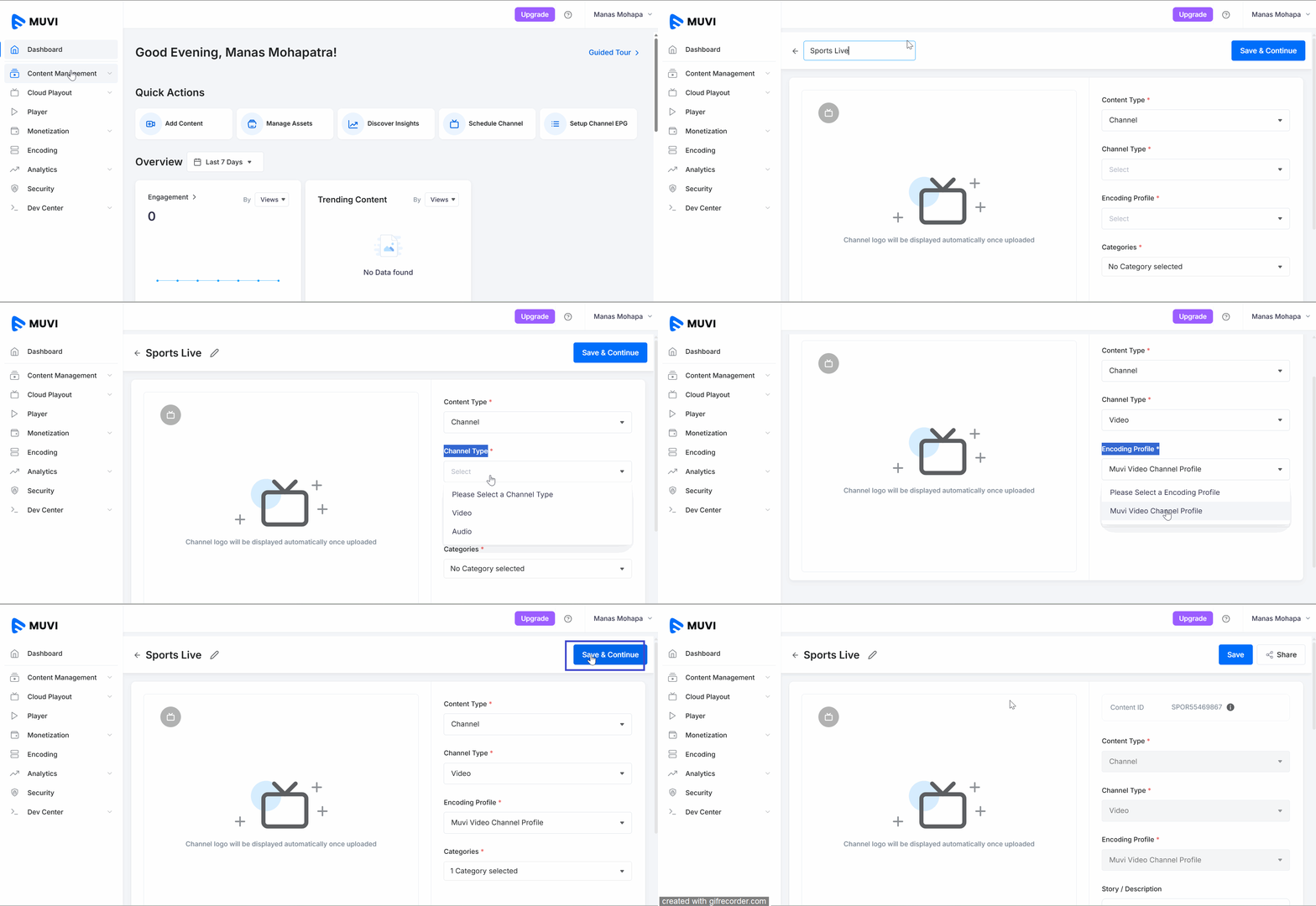
Let us know so that we can improve.
Related Video
Discussed in Community


Upcoming Webinar
March 26
12:00AM PST
Build vs Buy in Streaming — The True Cost, Time & Scale Reality Checklist
‘Building a streaming platform from scratch gives more control’ is a myth. In reality ‘build’ entails engineering, infrastructure, maintenance, compliance, upgrades, scaling, etc with additional cost barriers and…...
Event Language: English

