0%
View the Active Plans of an End-user
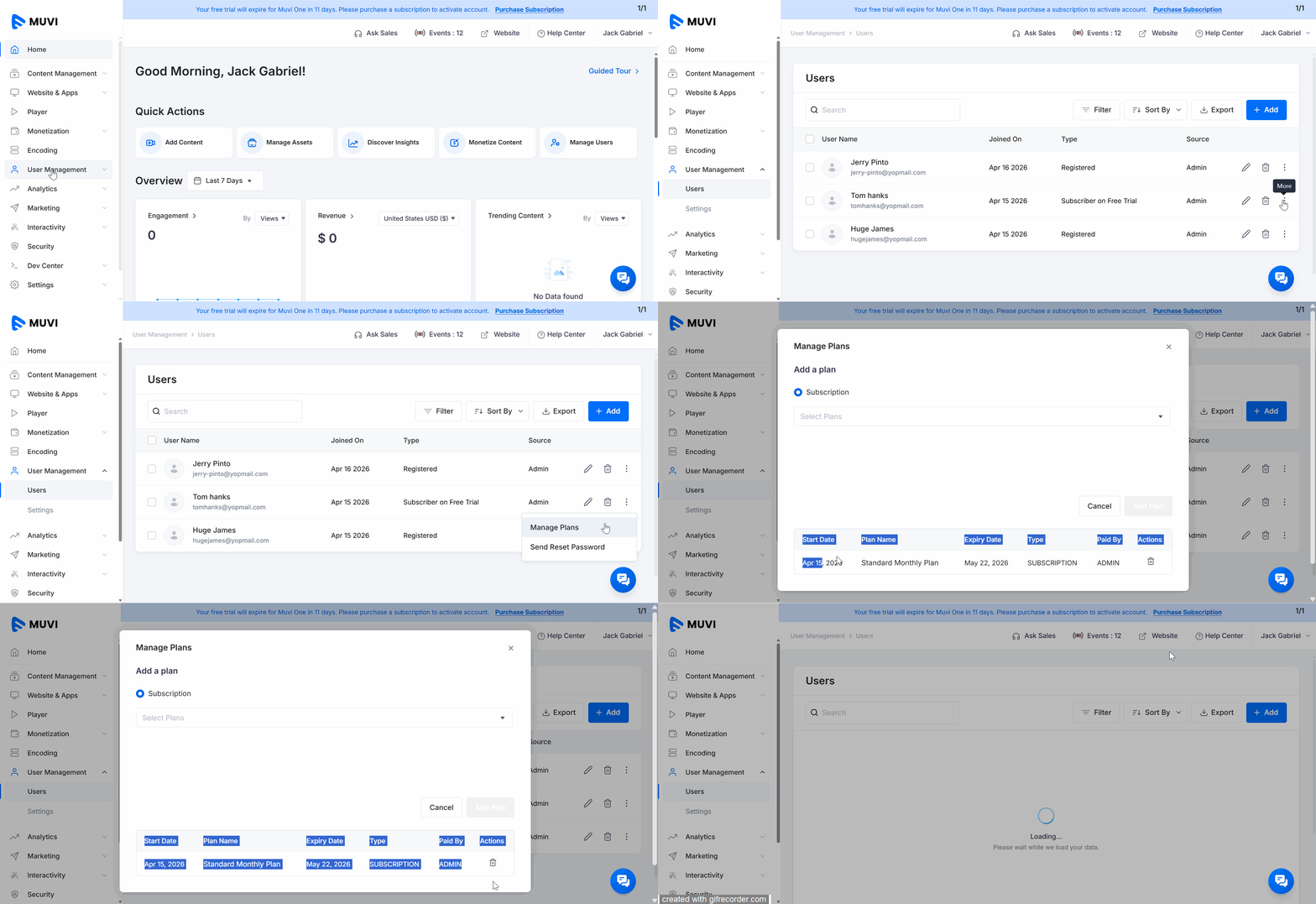
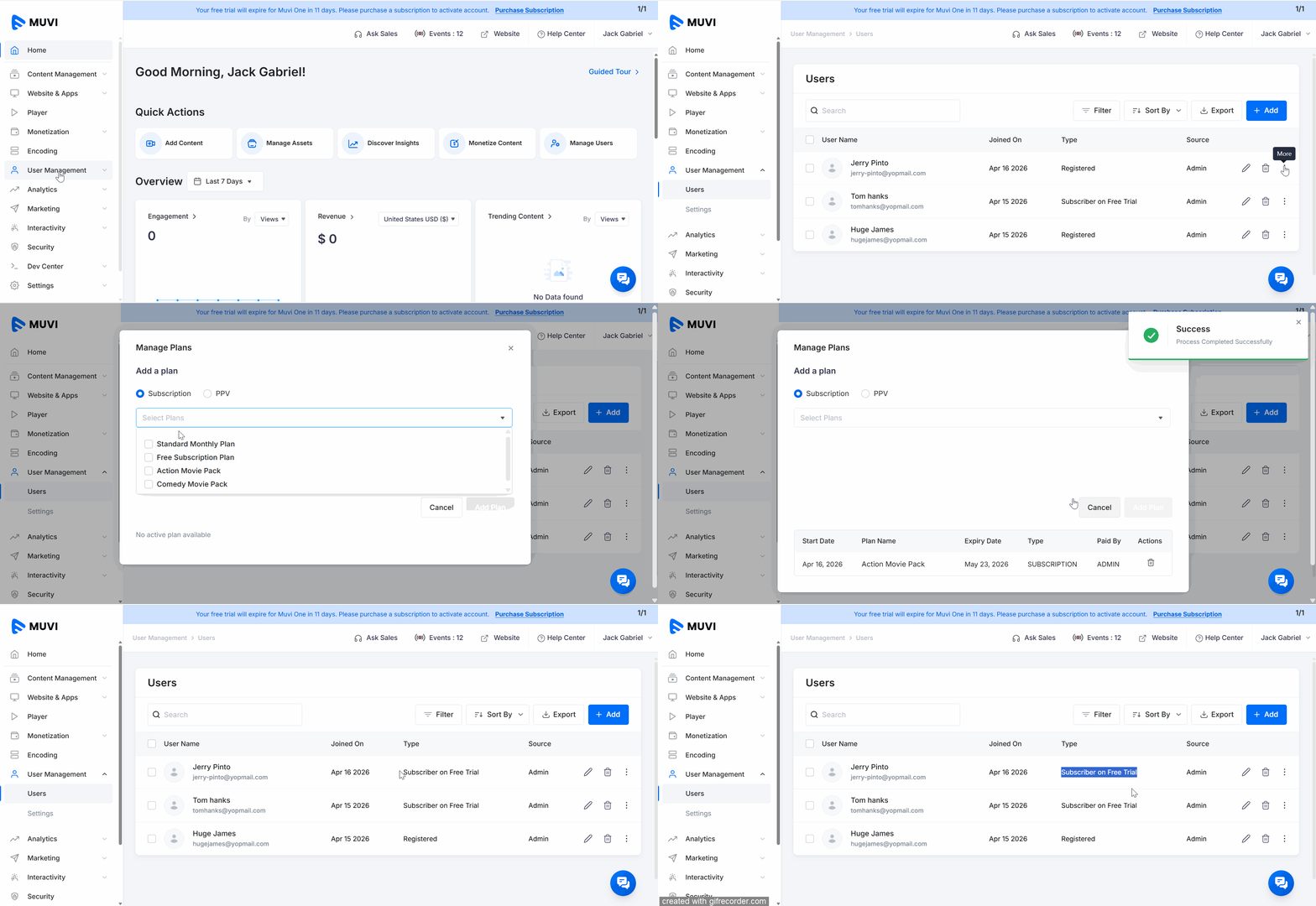
How to Assign a Subscription Plan to an End-User
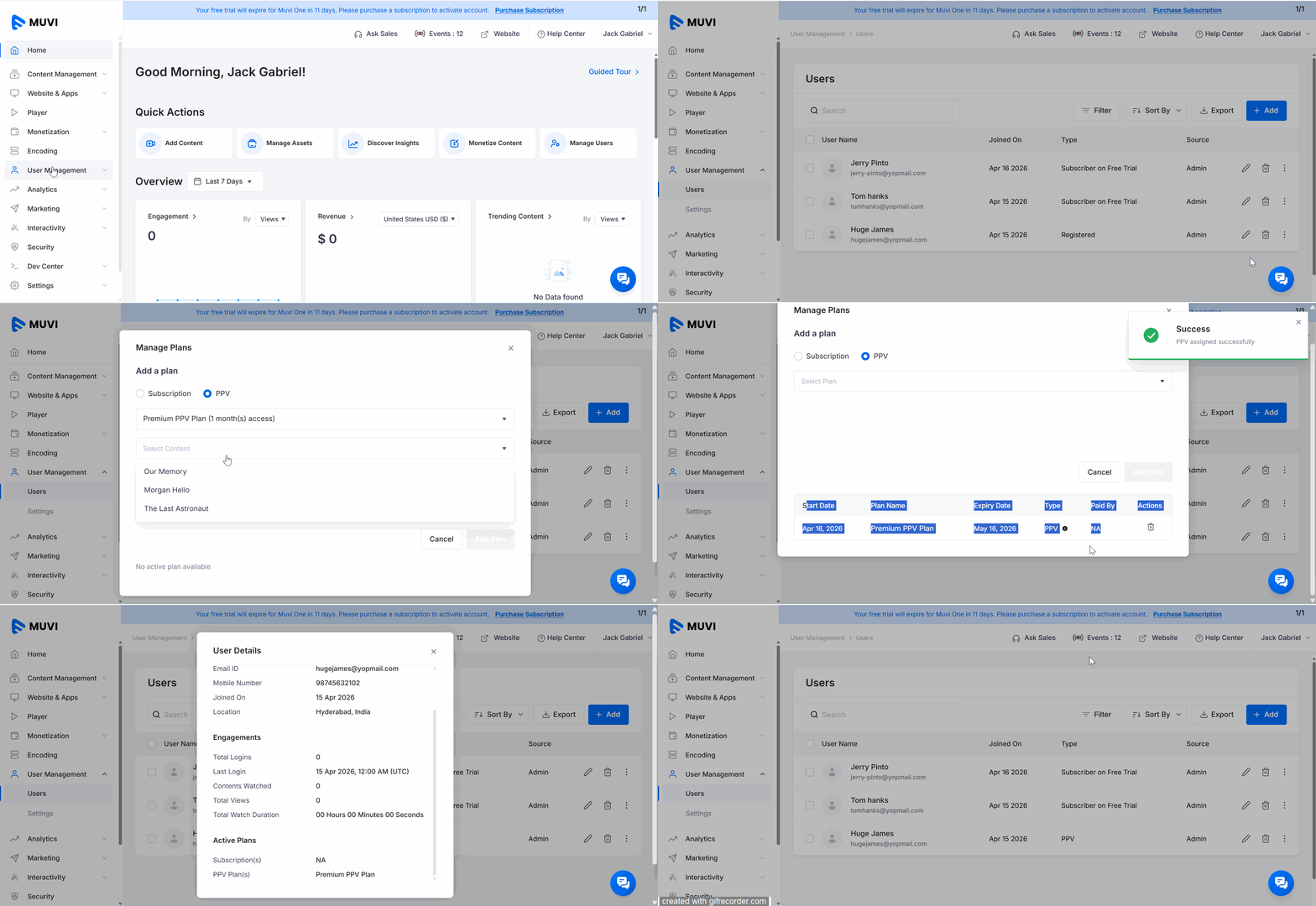
How to Assign a PPV Plan to an End-User
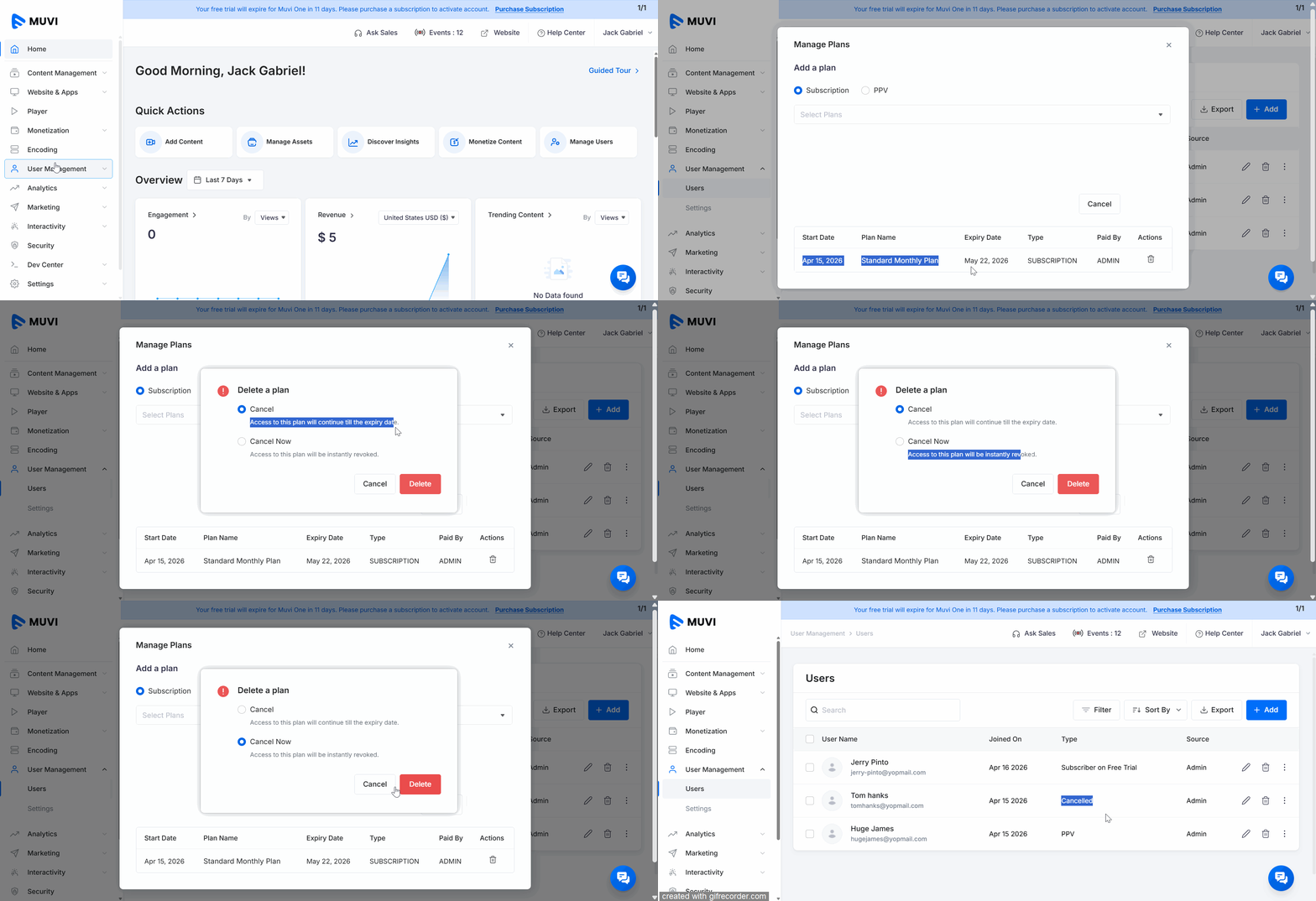
How the Admin Can Cancel a Subscription Plan for the End-User
How the Admin Can Cancel a PPV Plan for the End-User
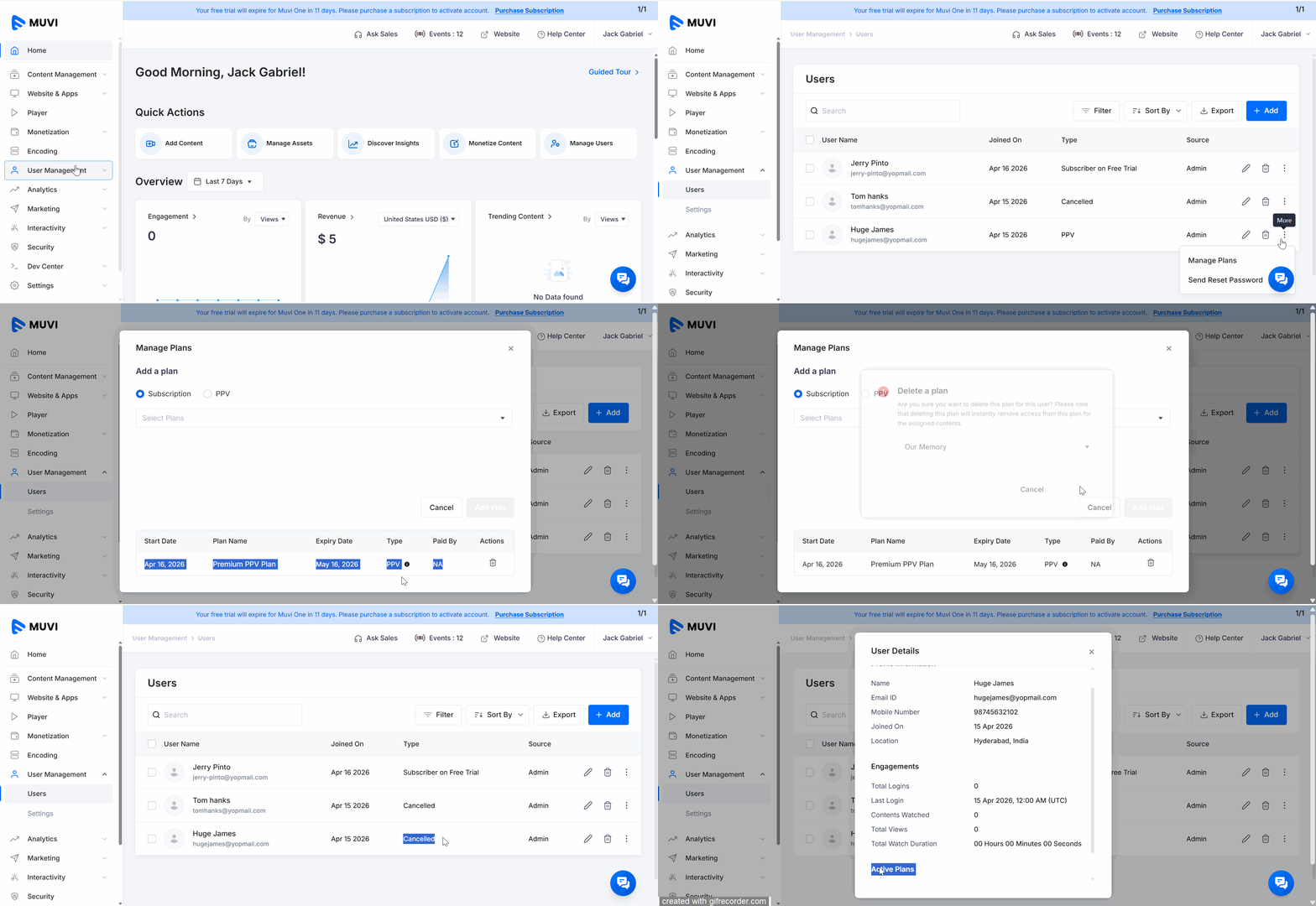
With our new feature, "Manage Plans," Muvi One CMS admins can effortlessly assign subscription plans or Pay-Per-View options to the existing end-users directly within the CMS. Admin can also keep track of all the active plans of the end-users with ease. The plans (subscription, PPV) can be directly assigned to the end-users from the “User Management” -->” User Details” page in the CMS.
| Note: If a subscription is canceled, it will not be displayed under the “Active Plans” after expiry. |
Note:
|
| Note: To assign a PPV plan to an end-user, you must have added the PPV plan(s) under “Monetization” in the CMS. |
The admin can cancel a subscription plan from the CMS that is assigned to a specific end-user. The admin can choose to cancel the plan instantly or until the expiry date (the plan will be canceled after the billing cycle).
The admin can cancel a PPV plan from the Dashboard assigned to a specific end-user. The admin can choose the content (if multiple contents are assigned) that will not be accessed by the end-user.
Let us know so that we can improve.

12:00AM PST
Emerging markets are driving the next wave of OTT growth—but succeeding in these regions requires unlocking various challenges. From fragmented payment ecosystems and diverse languages to inconsistent network…...
Event Language: EnglishReach out to Muvi at: